Logs
Logs page contains all job's operation logs, You also can find system operations and details of different jobs.
Job Log
After you select a Job log or multiple logs, you can Click  button to delete the log.
Also you can use Search box to search the job name, or use Advanced Search to display the logs by Time, Job Name, Status, Module, Username and Job Type.

By clicking  button, You can change the Logs displaying parameter on the below list.
You also can export the Logs information by clicking  button

System Logs
After you select a System log or multiple logs, you can Click button to delete the log.
Also you can use Search box to search the job name, or use Advanced Search to display the logs by Time, Status, Operation Type and Username.
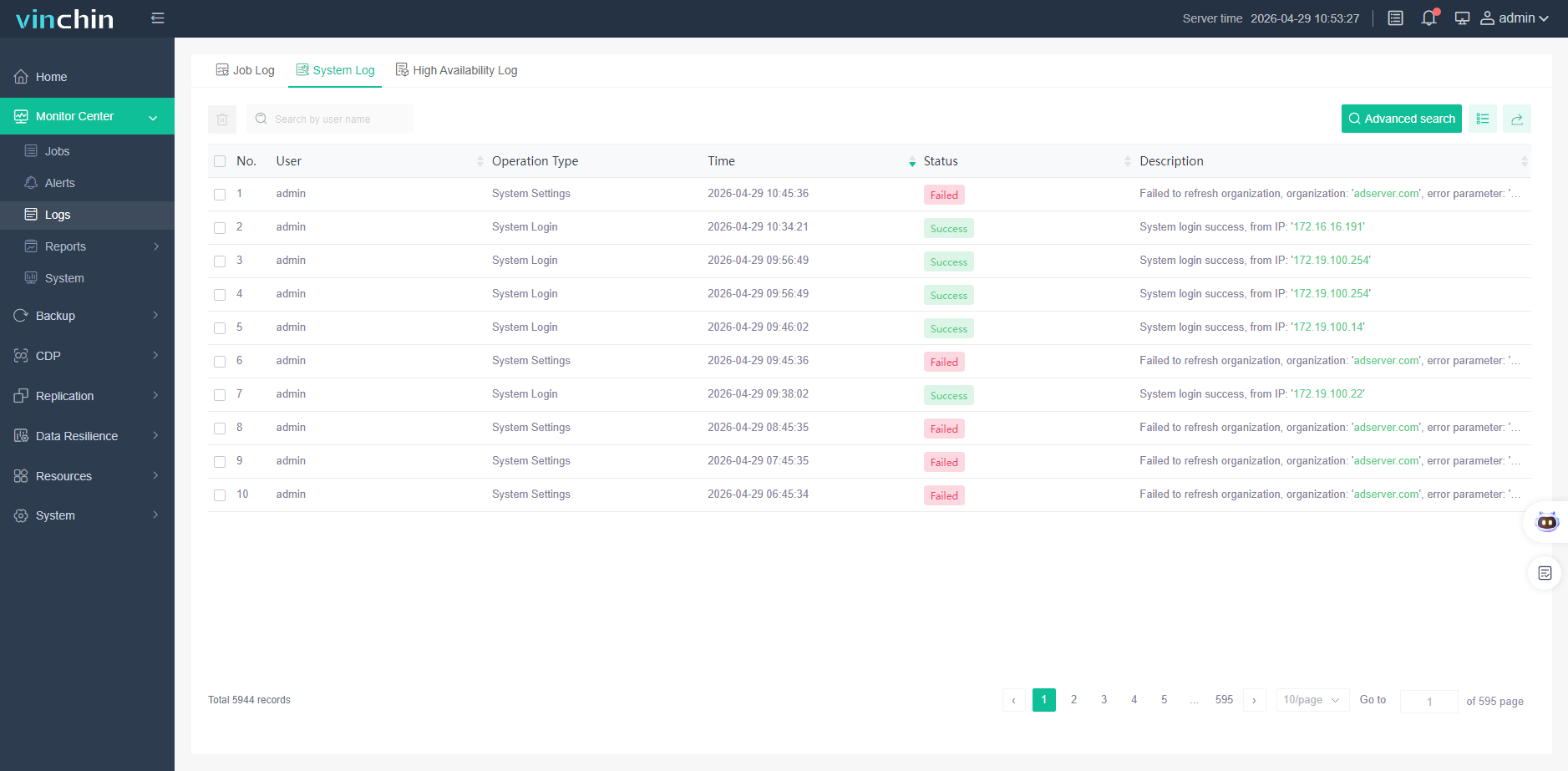
By clicking button, You can change the Logs displaying parameter on the below list.
You also can export the Logs information by clicking button.
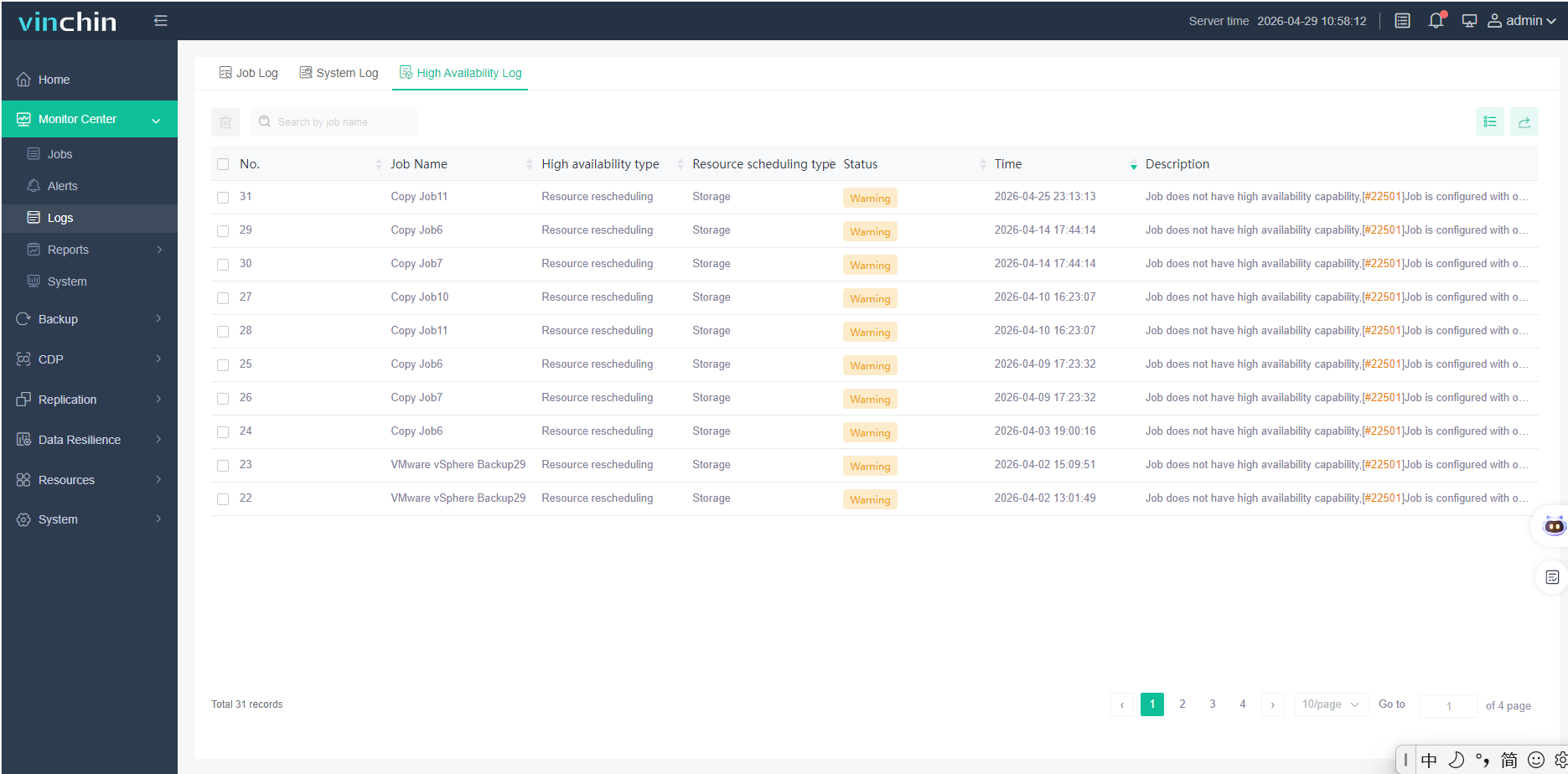
High Availability Logs
After enabling High Availability function. Click [Monitoring Center] - [Logs] - [High Availability Logs] to list the records of the backup system cluster. It displays information such as log time, status,and description. After selecting the log entries, click the button to delete them. The backup system cluster logs support searching by job name, as shown in the figure below:
Notice!
1.Only logs older than 180 days can be deleted. 2.Log deletion is permanent and irreversible. Please proceed with caution.